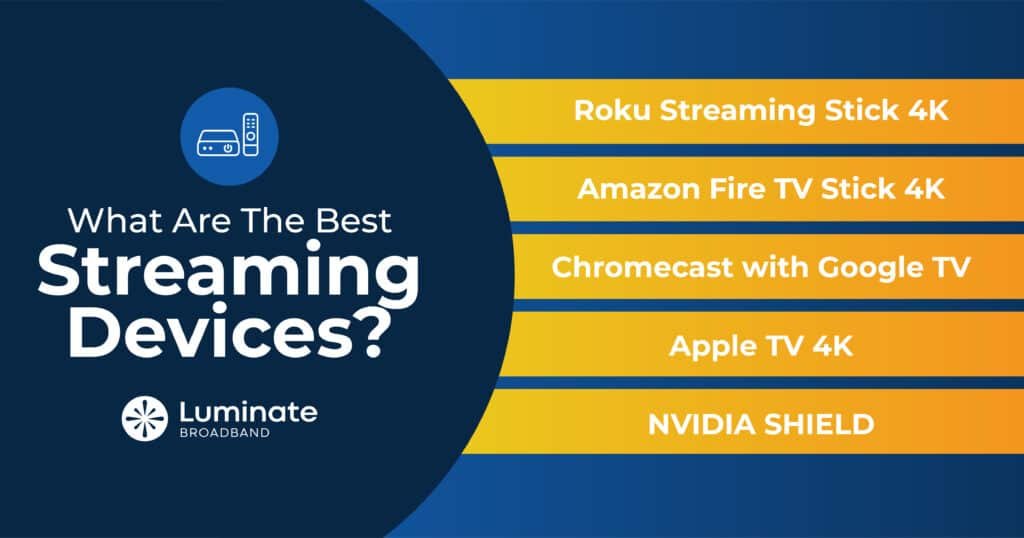
In today's digital landscape, a great TV isn't just about picture quality; it's about seamless access to all your favorite shows, movies, and apps. While most modern televisions come with "smart" capabilities, a dedicated streaming device often provides a superior, more fluid, and feature-rich experience. This guide dives deep into the world of Streaming Devices & Tech Guides, helping you cut through the clutter to find the perfect gadget to elevate your home entertainment setup.
Think of a dedicated streamer as the true brain of your TV, offering faster performance, more intuitive interfaces, and better integration with your digital life than the built-in operating systems on most smart TVs. They unlock a universe of content, transforming your living room into a personalized entertainment hub.
At a Glance: Your Top Streaming Device Choices
- Best Overall for Most People: Roku Streaming Stick 4K (under $50) – Easy to use, wide app support, great value.
- Best for Google Ecosystem Users: Google TV Streamer ($99) – Deep Google integration, Gemini AI, smart home control.
- Best for Apple Ecosystem Users: Apple TV 4K (2022) – Blazing fast, premium experience, HomeKit hub.
- Best Budget Option for Older TVs: Amazon Fire TV Stick HD – Affordable, brings smarts to any HDMI port.
- For the Power User (Performance/Ethernet): Roku Ultra or Apple TV 4K – Top-tier performance, wired stability.
Why Ditch Your Smart TV's Built-In System?
You might be wondering, "My TV is already 'smart,' why do I need another box or stick?" It's a fair question. While built-in smart TV platforms have improved, they often lag behind dedicated streaming devices in several key areas:
- Speed and Performance: TV manufacturers prioritize screen technology, not usually the processor for the smart interface. Dedicated streamers, especially premium ones, boast faster chips, leading to quicker app launches, smoother navigation, and less buffering.
- User Experience: Companies like Roku, Google, and Apple specialize in user interfaces for streaming. Their designs are typically cleaner, more intuitive, and less cluttered with sponsored content than many TV manufacturers' built-in systems.
- App Updates and Longevity: Dedicated devices receive more frequent software updates, ensuring compatibility with the latest streaming services and security features. A smart TV's built-in apps might become outdated or unsupported faster than a dedicated streaming stick.
- Feature Set: Advanced features like Dolby Vision, Dolby Atmos, specific HDR formats (HDR10+), or smart home integration are often more robust and consistently implemented on dedicated devices.
- Ad-Free Experience (Mostly): While some platforms have ads, dedicated streamers often offer a more focused content experience without intrusive promotions directly tied to the OS.
Top Picks: Best Streaming Devices for Every Home
Choosing the right streaming device depends on your budget, your existing tech ecosystem, and what features matter most to you. Here are our expert recommendations:
The Best Overall Value: Roku Streaming Stick 4K
For the vast majority of people, the Roku Streaming Stick 4K stands out as the undisputed champion. Priced under $50, it delivers an exceptional blend of performance, ease of use, and broad streaming service access.
- Why it's great: Roku's interface is legendary for its simplicity. It's clean, intuitive, and remarkably user-friendly, making it a favorite even for tech novices. You'll find all the major streaming services here, from Netflix and Hulu to Disney+ and Max.
- Key Features: This slim device supports 4K resolution at 60 frames per second, along with HDR10 and HDR10+ for vibrant colors and contrast. It also boasts a 35% slimmer design than its predecessor and "Backdrops," which turns your blank screen into an art display. While it doesn't support Dolby Atmos (you'd need the Roku Ultra for that), its overall package is incredibly compelling. Roku also integrates with smart home devices for basic controls.
Another Strong Contender for Most: Onn 4K Pro
Walmart's Onn 4K Pro has rapidly gained acclaim, holding a 4.5-star rating and an Editors' Choice award. Running on the Google TV platform, it offers a fantastic alternative to Roku, especially if you lean towards the Google ecosystem. It provides comprehensive app support and a smooth user experience.
Best Budget Option for Older TVs: Amazon Fire TV Stick HD
If you're looking to bring smart streaming capabilities to an older TV without breaking the bank, the Amazon Fire TV Stick HD is an excellent choice. It's Amazon's most affordable streaming stick and integrates seamlessly with Alexa for voice control.
- Why it's great: It plugs into any HDMI port, instantly transforming a basic TV into a smart one. Its integration with the Amazon ecosystem (Prime Video, Prime Music) is robust, and it supports popular apps like Netflix, Hulu, and YouTube.
- Considerations: While it provides HD streaming, it's not a 4K device. However, for an older TV that likely isn't 4K anyway, it's a perfect match, offering a solid entry point into streaming.
For the Google Faithful: Google TV Streamer
If your digital life revolves around Google, the Google TV Streamer is a natural upgrade. At $99, it offers a premium Google experience with powerful features.
- Why it's great: It fully embraces the Google ecosystem. You can leverage Gemini AI for content summaries, reviews, and even create dynamic screensavers with voice commands. It plays beautifully with Google Home devices, letting you view video doorbell feeds or control smart lights directly from your TV.
- Key Features: Expect stunning 4K UHD streaming with support for HDR, Dolby Vision, and Dolby Atmos. It provides access to over 6,500 Android TV apps, making it incredibly versatile. Its integration with Google Assistant is top-notch, offering comprehensive voice control for your content and smart home.
For the Apple Enthusiast: Apple TV 4K (2022)
The Apple TV 4K (2022) is the premium choice for users deeply embedded in the Apple ecosystem. While it comes with a higher price tag, its performance and integration are unparalleled.
- Why it's great: Powered by the A15 Bionic chip (the same chip found in some iPhones), it delivers blisteringly fast load times for streaming apps, significantly outperforming rivals like the Fire TV Cube and Roku Ultra in speed tests. Its tvOS interface is renowned for its clean design and intuitive navigation, fitting perfectly with Apple's aesthetic.
- Key Features: It supports HDR10+ and includes a sleek Siri remote with convenient USB-C charging. Beyond streaming, the Apple TV 4K functions as an Apple HomeKit hub, allowing for advanced smart home automation. With Thread support, it's also future-proofed for Matter smart home integration. While AirPlay 2 and the Apple TV app are widely available on other devices, the native experience here is second to none, especially for AirPlay functionality and Apple Arcade gaming.
A Closer Look at the Major Streaming Platforms
The "brain" behind your streaming device is its operating system or platform. Each offers a distinct experience and integrates differently with your broader digital life. Understanding these differences is key to choosing the right device.
Roku: Simplicity Reigns Supreme
Roku pioneered the streaming device market, and its platform remains a benchmark for user-friendliness.
- What it is: Roku's OS is focused entirely on streaming. Its services and apps are called "Channels," and you'll find thousands available, from all the major streaming services (Netflix, Hulu, Disney+, Max, etc.) to niche content.
- Key Features: The interface is a straightforward grid of app icons, making navigation incredibly easy. Roku devices support Apple AirPlay, allowing you to stream content directly from your iPhone, iPad, or Mac. Top models like the Roku Streaming Stick 4K, 4K+, and Ultra offer 4K video with HDR10 and Dolby Vision.
- Advanced Options: The 4K+ and Ultra include Roku's Voice Remote Pro, which features hands-free voice control (no button press needed), a remote finder (to locate it between couch cushions!), and even a headphone jack for private listening. The Roku Ultra is their most feature-rich device, being the only model that includes Ethernet and USB ports for stable wired connections and local media playback. Roku also offers innovative solutions like the Roku Streambar ($129.99), which is a soundbar with integrated 4K streaming capabilities, and licenses its OS for various Roku TVs.
Amazon Fire TV: The Alexa-Powered Hub
Amazon's Fire TV platform is a robust ecosystem built around its services and the power of Alexa.
- What it is: Fire TV runs on a modified version of Android, heavily centered on Amazon Prime content like Prime Video and Prime Music. However, it also offers a vast library of apps, including Hulu, Netflix, YouTube, and more.
- Key Features: The standout feature is its deep integration with Alexa. All Fire TV devices come with a voice remote that allows you to control content, search, and manage smart home devices with a press of a button. For a truly hands-free experience, the Fire TV Cube takes it a step further, featuring a far-field microphone array that lets you issue Alexa commands from across the room, just like an Echo speaker.
- Navigation: The interface can feel a bit more content-heavy and geared towards Amazon's offerings compared to Roku's cleaner grid.
Google TV: Smart, Personalized, and Connected
Google TV represents Google's vision for smart entertainment, offering a highly personalized experience and deep integration with its services.
- What it is: Google TV is a feature-rich smart TV platform that provides access to all major streaming apps and services. It emphasizes content discovery, using AI to recommend shows and movies based on your viewing habits across multiple apps.
- Key Features: Google Assistant is at its core, enabling powerful voice control for finding content, answering questions, and controlling smart home devices. It also features Google Cast (formerly Chromecast), allowing you to easily stream local content from Android devices or Chrome browsers on PCs directly to your TV. Google TV is available on various devices, including Hisense, Sony, and TCL TVs, Onn media streamers, and Google's own streaming devices.
- Ecosystem Note: While robust, Google TV devices currently lack native AirPlay support for Apple devices, meaning you can't easily cast content directly from your iPhone or iPad without a third-party app or workaround.
Making the Right Choice: What to Consider
With so many excellent options, how do you pick the perfect one for you? Here’s a breakdown of decision criteria:
- Where to Start for Most People: Begin with the Roku Streaming Stick 4K. Its combination of ease of use, robust app support, and 4K HDR quality under $50 makes it a no-brainer for a first streaming device or upgrading an older TV.
- On a Tight Budget? The Roku Express 4K Plus offers a similar experience to the Streaming Stick 4K but in a more traditional box form factor, often available at an even lower price point. For basic HD on an older TV, the Fire TV Stick HD is your go-to.
- Need a Stable, Wired Connection? If Wi-Fi is flaky in your entertainment area, look for devices with an Ethernet port. The Roku Ultra and the Apple TV 4K are prime choices here, offering dedicated Ethernet ports for a rock-solid connection, crucial for high-bandwidth 4K content.
- Performance and Top-Tier 4K UHD Content: For the absolute best performance, especially for demanding apps or high-bitrate 4K UHD content, the Nvidia Shield TV and the Apple TV 4K are unmatched. They boast powerful processors that ensure lightning-fast navigation and pristine playback.
- Deeply Invested in the Alexa Ecosystem? If you already rely on Alexa for smart home control and voice commands, stick with Amazon's offerings. The 3rd Gen. Fire TV Cube provides hands-free Alexa through a far-field microphone array, acting as both a streamer and an Echo speaker. If you want something cheaper and don't mind pressing a button for voice commands, any Fire TV Stick will integrate Alexa.
- Amazon Ecosystem Priority (and Cheaper): For those who frequently use Amazon Prime Video, Prime Music, or other Amazon services, and want a budget-friendly option, the Fire TV Stick HD is an excellent entry point.
The 8K Question: Don't Rush It
You might have seen 8K TVs advertised, but when it comes to streaming, 8K is currently a novelty, not a necessity. There are currently no consumer 8K streaming services or readily available 8K media. Major streaming platforms like Netflix, Disney+, and HBO Max stream primarily in 4K, with some content in HD.
Purchasing an 8K TV today is largely about future-proofing (far into the future) and enjoying excellent 4K upscaling. However, from a streaming device perspective, there's no need to seek out an 8K-compatible streamer. It will be several years before 8K streaming becomes mainstream, so your focus should firmly remain on excellent 4K HDR performance.
Beyond the Box: Setting Up for Success
Getting your new streaming device up and running is typically straightforward, but a few tips can optimize your experience:
- Placement Matters: Ensure your streaming stick or box has good line-of-sight or is not completely enclosed, especially if it relies on Wi-Fi and/or an infrared remote. Overheating can sometimes be an issue in confined spaces.
- Use High-Quality HDMI Cables: For 4K HDR content, cheap or old HDMI cables can cause issues. Invest in "High-Speed HDMI" or "Premium High-Speed HDMI" cables, which are certified to handle the necessary bandwidth.
- Optimize Your Wi-Fi: Place your Wi-Fi router centrally in your home, away from obstructions and other electronics that might cause interference. If possible, use a Wi-Fi 6 (or Wi-Fi 6E) router for better performance and less congestion, especially if you have many devices.
- Ethernet is King for 4K: If your device has an Ethernet port (like the Roku Ultra or Apple TV 4K), use it! A wired connection provides the most stable and fastest experience for high-bitrate 4K content, eliminating Wi-Fi interference and dropouts.
- Adjust Display Settings: After setup, check your device's display settings. Ensure it's outputting the correct resolution (e.g., 4K HDR) for your TV. Sometimes these settings don't auto-detect perfectly.
- Regular Updates: Keep your streaming device's software updated. Manufacturers frequently release updates that improve performance, add features, and patch security vulnerabilities.
Frequently Asked Questions About Streaming Devices
Q: Do I really need a dedicated streaming device if my smart TV already has apps?
A: While your smart TV has apps, a dedicated streaming device almost always offers a faster, smoother, and more reliable experience. They typically have more powerful processors, receive more consistent software updates, and provide a cleaner user interface than most built-in smart TV systems. If you value performance and ease of use, a dedicated device is a worthwhile upgrade.
Q: What's the difference between HDR10, HDR10+, and Dolby Vision?
A: These are all High Dynamic Range (HDR) formats that deliver greater contrast, brightness, and color depth than standard video.
- HDR10: The most common open standard, supported by virtually all HDR TVs and devices.
- HDR10+: An advanced version of HDR10 that adds "dynamic metadata," meaning brightness and color information can be adjusted scene-by-scene or even frame-by-frame, offering a more optimized picture.
- Dolby Vision: A proprietary format that also uses dynamic metadata, often considered the premium HDR format due to its precise control over picture quality. Many high-end TVs and streaming services support Dolby Vision.
Ideally, your streaming device, TV, and content should all support the same HDR format for the best picture quality.
Q: Can I watch live TV with a streaming device?
A: Yes! Many streaming devices offer apps for "cord-cutting" live TV services like YouTube TV, Sling TV, Hulu + Live TV, and FuboTV. These services stream traditional cable channels over the internet, often including local channels.
Q: What about privacy with streaming devices?
A: Like any connected device, streaming devices collect data on your viewing habits to personalize recommendations and, in some cases, serve targeted ads. Roku, Amazon, and Google all have privacy policies you can review. You can usually adjust privacy settings on the devices themselves, though it might limit some personalization features. Consider using a VPN on your network to enhance privacy if that's a significant concern.
Your Entertainment, Upgraded
Choosing the right streaming device is more than just buying a gadget; it's about investing in a smoother, more enjoyable, and feature-rich home entertainment experience. Whether you're a casual viewer looking for simplicity with the Roku Streaming Stick 4K, a Google power user craving deep integration, or an Apple enthusiast demanding peak performance, there's a perfect device out there for you.
By understanding the differences in platforms, features, and your own specific needs, you can confidently select a streaming device that will truly transform your television into the ultimate entertainment hub. Get ready to explore a world of content, personalized to your tastes and delivered with unparalleled ease.